Mac menu bar app
Windows tray app
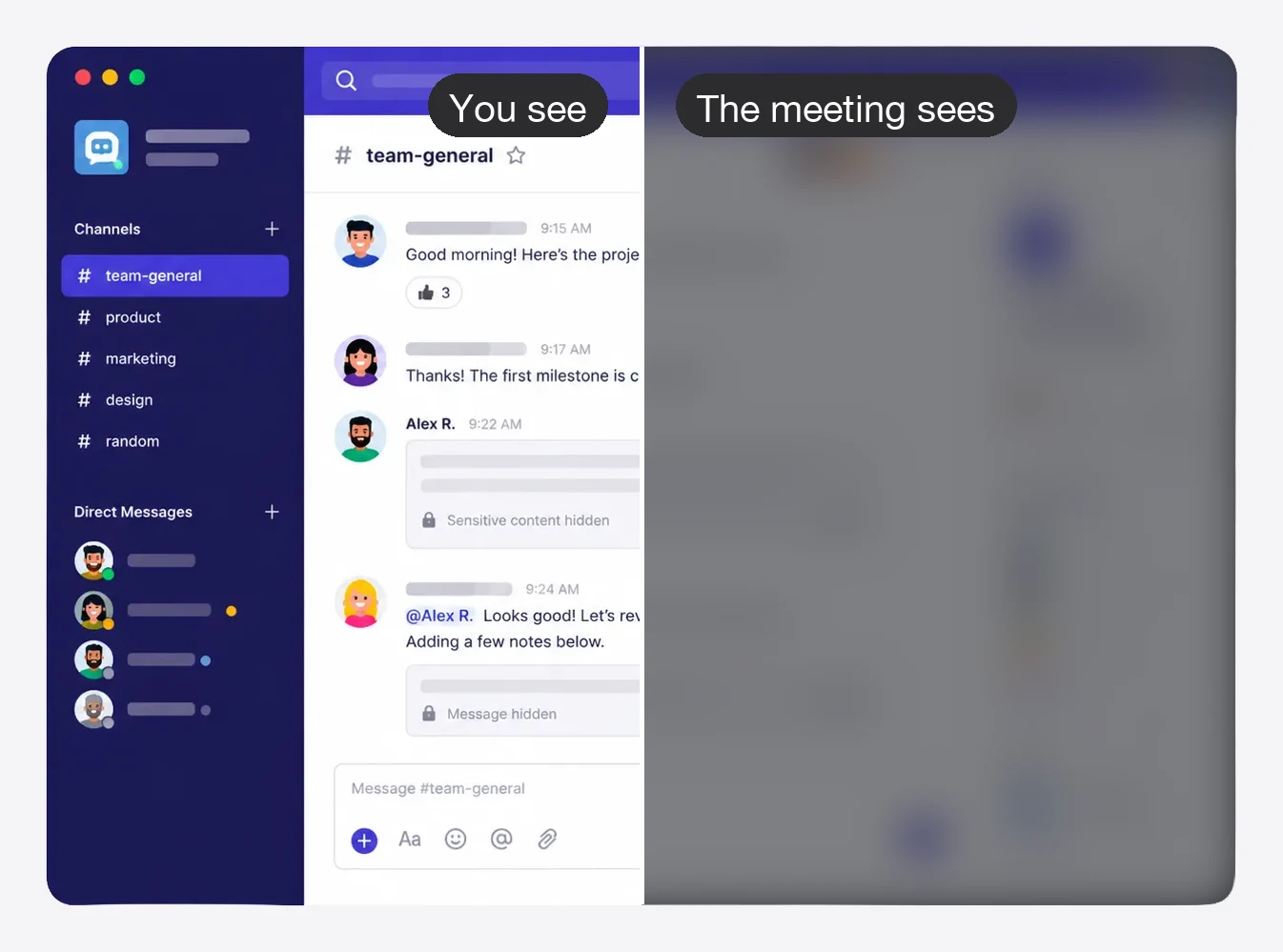
Stealth frosts your private apps for everyone watching — and only for them. You keep working in Slack, Messages and Mail as usual; the meeting sees frost.
Stealth frosts your private apps for everyone watching — and only for them. You keep working in Slack, Teams chat and Outlook as usual; the meeting sees frost.
Free 7-day trial · One-time purchase · Two devices · No account required
Buying for work? Stealth for Teams →
See it in action
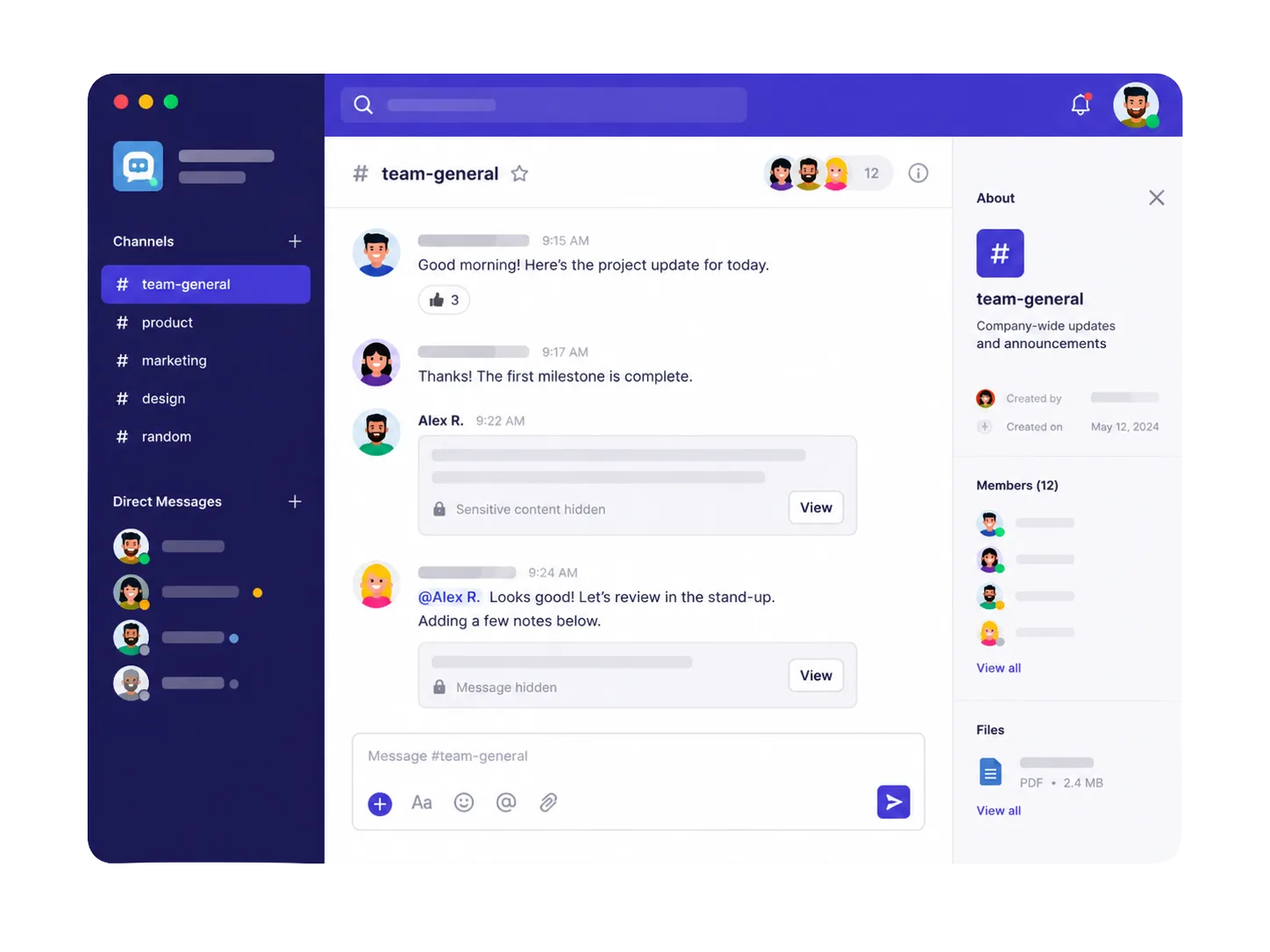
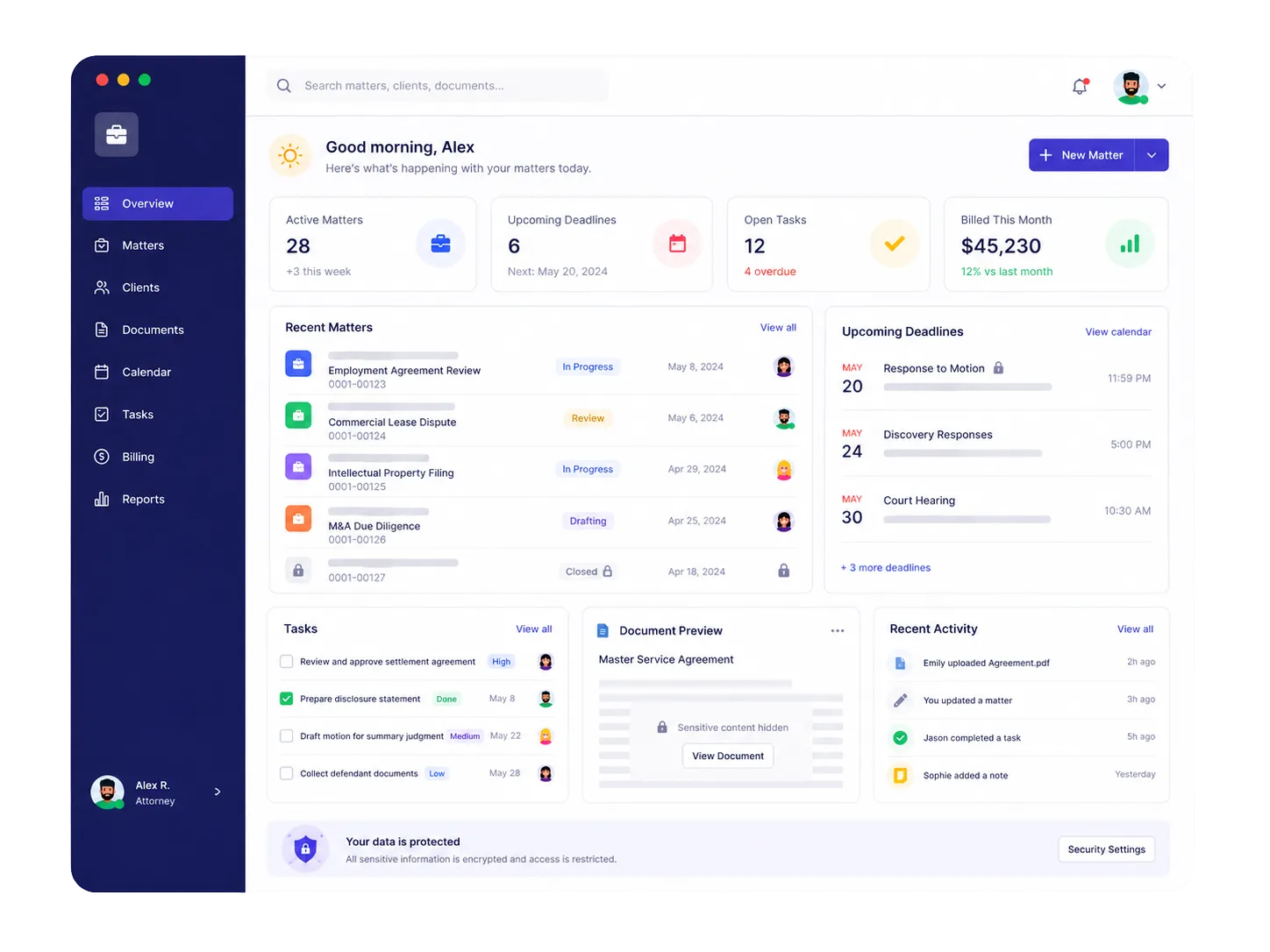
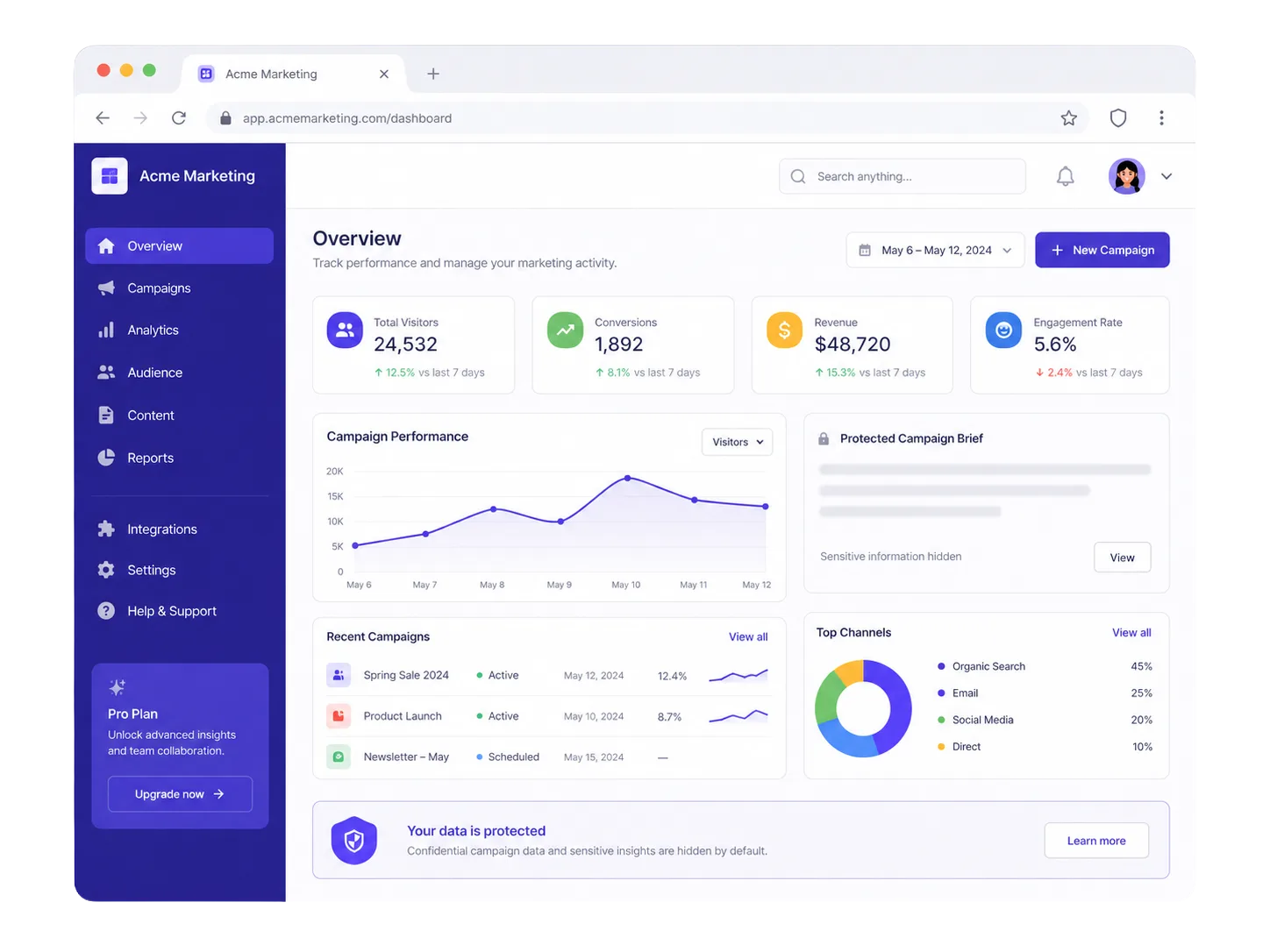
Team chat, client dashboards, campaign data — anything you'd rather not broadcast is frosted in the share the moment Stealth is on. On your own screen, nothing changes.
The frost lives in the capture, not on your display. Zoom, Meet, Teams, Loom and every recording get the frosted version; you keep the real one.
Who it's for
Built for anyone who screen shares regularly and has private windows they'd rather keep private.
Blur Slack before a customer demo. No more awkward DMs appearing mid-presentation.
Record demos, tutorials, or Looms without worrying what's in your inbox.
Personal texts stay personal even when your screen is shared with the whole team.
Read Slack, answer a text, glance at mail. Your screen looks normal to you; the meeting only ever sees frost.
Consultants, lawyers, and finance teams — keep sensitive client data off the shared screen.
No more pre-call scramble to close apps and tidy your desktop. Toggle Stealth instead.
How it works
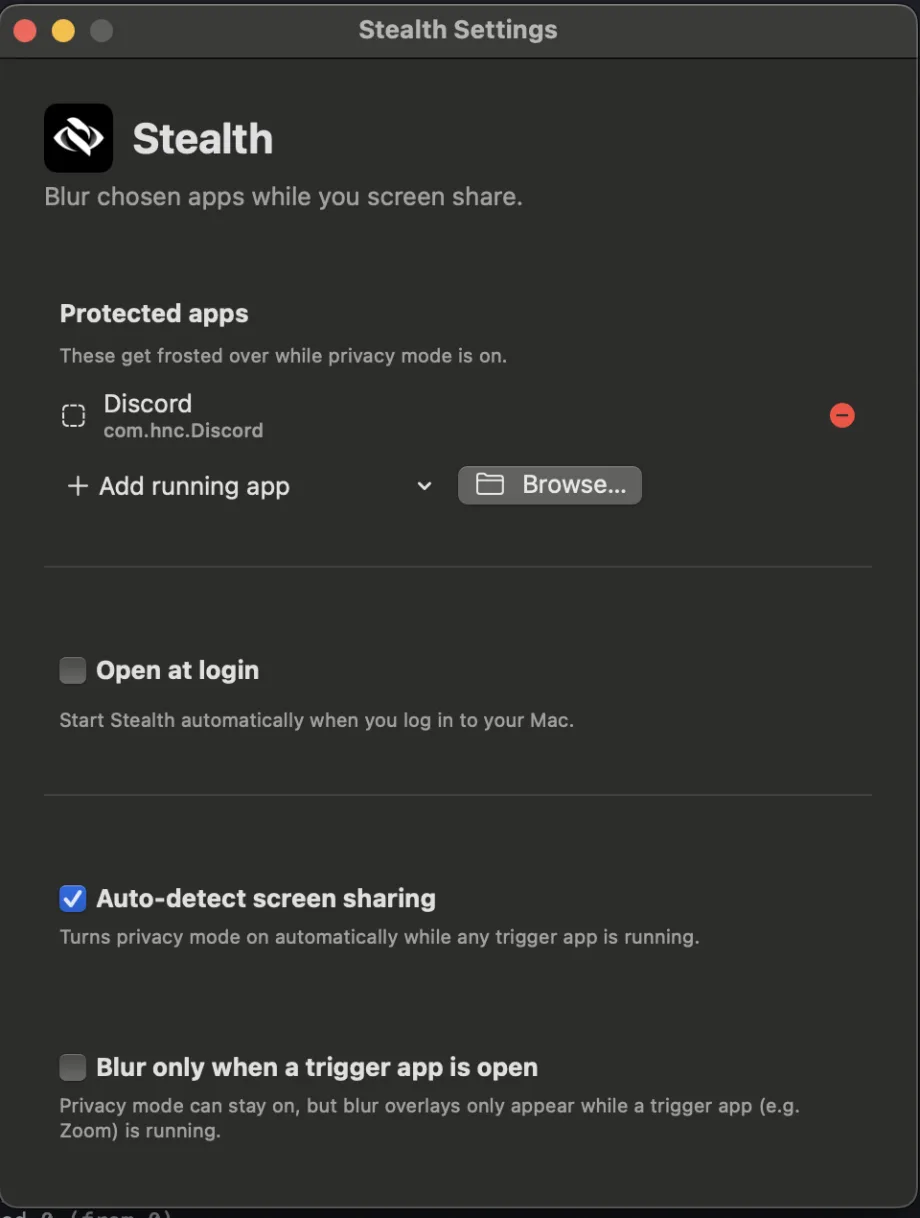
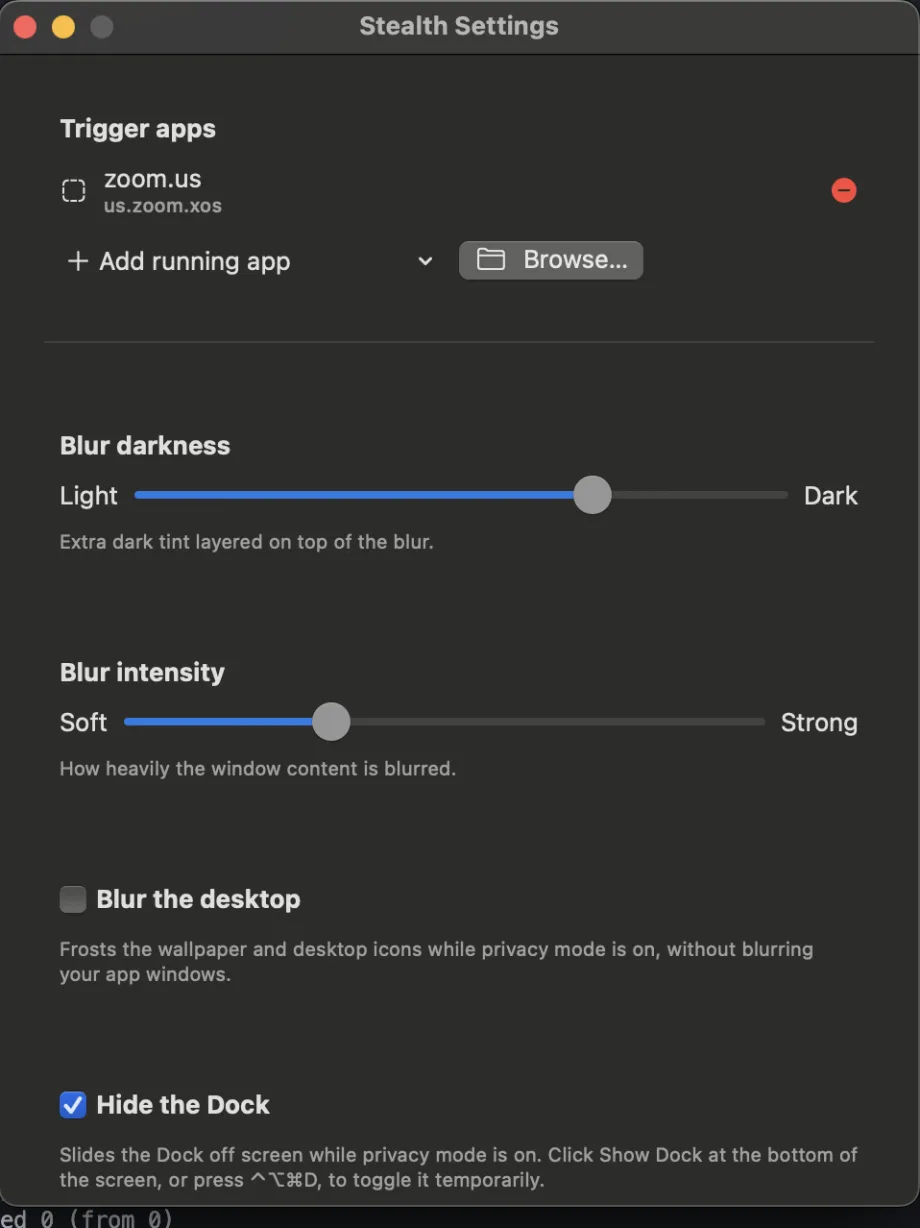
Open Stealth Settings and tap the apps you'd rather a meeting didn't see — Slack, Messages, Mail, Calendar, or anything else.
Stealth turns on by itself when a call or share starts. Or flip it yourself: click the menu bar icon or press ⌃⌥⌘B.
Stealth turns on by itself when a call or share starts. Or flip it yourself: click the tray icon or press Ctrl+Alt+B.
Share, record, or demo. Your protected apps look normal to you and frosted to everyone else — no peeking, no squinting, no closing windows.
Global hotkeys, always available
Toggle Privacy Mode with ⌃⌥⌘B, show the front app to the meeting with ⌃⌥⌘R, or draw custom frost regions anywhere on screen — all from the keyboard.
Toggle Privacy Mode with Ctrl+Alt+B, show the front app to the meeting with Ctrl+Alt+R, or draw custom frost regions anywhere on screen — all from the keyboard.
Show one app when you mean to
Need the meeting to see one protected app? Tick it under Show to meeting in the menu. Everything else stays frosted.
The difference
Most screen-privacy tools blur your own display and hope you can work around it. Stealth frosts only what the capture sees, so your screen stays exactly as it was.
Reply in Slack mid-demo. The message is sharp for you and frost for them. Nobody on the call knows you looked.
Switch apps freely. ⌘Tab, click the Dock, drag windows around — the frost follows every protected window without a flash.
Switch apps freely. Alt+Tab, click the taskbar, drag windows around — the frost follows every protected window without a flash.
Every capture tool. Zoom, Meet, Teams, Loom, OBS, QuickTime, screenshots — anything that reads the screen gets the frosted version.
Built for privacy
Fully local. Stealth runs entirely on your Mac or PC. No cloud, no sync, no screen upload.
No screen upload. Your screen contents are never uploaded anywhere. The blur happens locally.
No account required. Download, run, and use Stealth without creating an account or signing in.
Minimal permissions. One macOS permission (Screen Recording), used only to show you your own windows. No Accessibility, no Automation.No Windows permission prompt at all. Stealth never reads page contents, titles, or addresses.
Zoom, Google Meet, Microsoft Teams, Loom, QuickTime, Cleanshot, OBS, and any other tool that captures your screen — Stealth works at the display level, not the app level.
Simple pricing
No subscription. No monthly fees. Buy once, use as long as you like.
One-time purchase · Free 1.x updates · Two devices
Not ready to buy? Try it free for 7 days first. Download free →
IT can push Stealth with Jamf, Kandji, Mosyle, or Intune, lock Slack and HR apps as frosted for everyone, and never ask employees to paste a license key. From $36 per user / year, or $3.30 / month.
See Stealth for Teams →Questions
Yes. Zoom is on the watch list out of the box, so Privacy Mode turns on whenever Zoom is running.
Yes. Teams and Discord switch Stealth on when a call actually starts. For Meet, add your browser to the watch list — Stealth works with any screen sharing tool.
Yes. Stealth operates at the display level, so it works with any app that captures your screen — Loom, QuickTime, OBS, Cleanshot, and more.
No. Stealth runs entirely on your Mac or PC. Screen contents are never uploaded or processed by any server. Details on the security page.
That permission is how Stealth keeps showing you your real windows while the share receives frost. The frames stay on your Mac and are drawn straight back to your screen. Input Monitoring is optional and only makes ⌘Tab switches seamless. Stealth never asks for Accessibility or Automation. macOS 15 also re-confirms the grant with a system dialog about once a month (and after updates) — click Allow; Zoom and Teams get the same one.
No. Click download, confirm, and Stealth appears in your system tray — no admin rights, no restart, and updates arrive on their own.
Yes — add the browser as a protected app and every window of it is frosted for the meeting while you keep browsing normally. Stealth frosts whole apps, not individual tabs. Many people keep one browser for the demo and protect the other.
Yes. That's the point. Your display is untouched; only the shared or recorded picture is frosted. Hold ⌃⌥⌘PCtrl+Alt+P if you deliberately want the meeting to see everything for a moment.
If you share one window rather than your whole screen, that window is what the meeting sees. Stealth protects full-display shares.
Email [email protected] with your order number and we'll reset your activations manually, usually within a few hours.
Stealth requires macOS 13 Ventura or later and runs natively on both Intel and Apple Silicon Macs.
Stealth runs on Windows 11 and Windows 10 (version 2004 or later), on both Intel and AMD PCs.
Yes. Stealth for Teams is a plan for IT: MDM deploy, locked company settings, and volume pricing from $36 per user / year or $3.30 / month. Existing team customers keep their current rate.
Free for 7 days, then $19 once. Two devices. No subscription.